
Ship the first release
1. Release
Section titled “1. Release”In tapster setup, open Projects and click the project under In the hub. Once the release workflow on its default branch is tapster’s, the Releases step offers a release. Above the button it says what the hub’s last check found about its App:
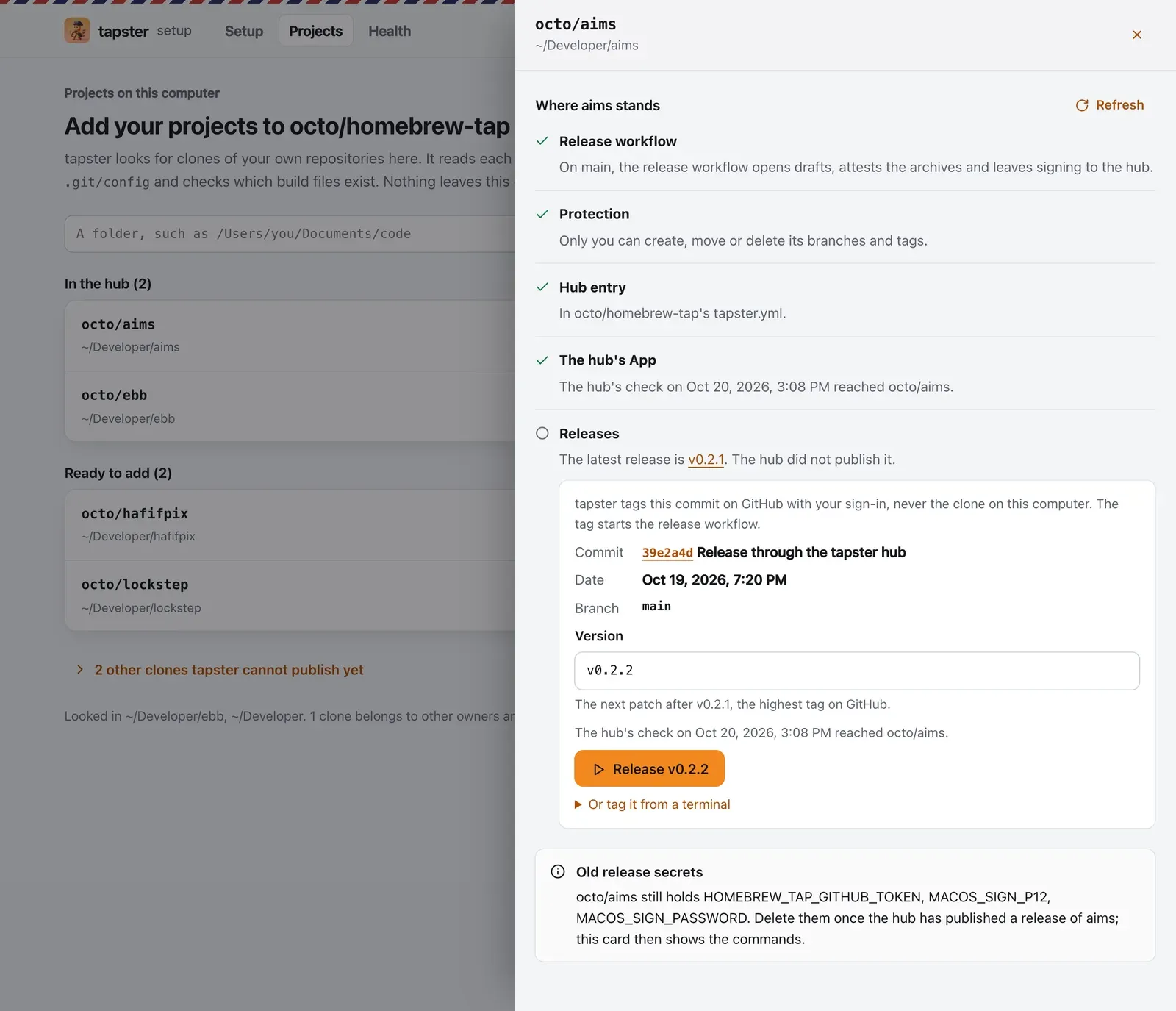
- Commit: the latest commit of the default branch on GitHub, with its date. This is what gets the tag.
- Version: the next patch after the highest version tag on GitHub, such as
v0.2.2afterv0.2.1. A project without one starts atv0.1.0. You can type another version as long as it is higher.
Click Release. tapster creates the tag on GitHub with your own sign-in, at exactly the commit it showed. If the branch moved in between or the tag exists already, it refuses and says why. It never tags the clone on your computer, which can be behind or on another branch.
It also refuses a commit whose message carries [skip ci], [ci skip], [no ci], [skip actions] or
[actions skip]. The same goes for a message that ends with the trailer skip-checks: true. GitHub starts no push
workflow for such a commit, so a tag on it may never start the release workflow. Push a commit without the marker.
Or tag the commit before it when that one has none; the sheet shows the command for it. When you merge several pull
requests in a row, put [skip ci] in the merge commit message of all but the last.
The same release from a terminal is one command. The sheet shows it with the commit filled in, under
Or tag it from a terminal. Without the sheet, this one reads the latest commit of main first and stops on a skip
marker:
gh api --method POST repos/you/my-tool/git/refs -f ref=refs/tags/v0.1.0 -f sha="$(gh api repos/you/my-tool/commits/main --jq 'if (.commit.message | test("(?i)\\[(skip ci|ci skip|no ci|skip actions|actions skip)\\]")) or ([.commit.message | splits("\\r?\\n[ \\t]*\\r?\\n") | select(test("\\S"))] | length > 1 and (last | test("(?im)^skip-checks:\\s*true\\s*$"))) then error("the latest commit of main carries a skip marker, so a tag on it may not start the release workflow") else .sha end')"Docs and CI
Section titled “Docs and CI”The release workflow starts only from a version tag (an app’s workflow also runs when you start it by hand).
To choose versions and tag without a per-release click, enable automatic releases with
tapster add --auto. Its separate workflow checks daily or after each push and skips documentation-only changes
unless a commit explicitly requests a bump. Keep push or paths triggers on main out of the build/release workflow.
To keep pull requests that only change docs from running the full test matrix, give the project’s own CI workflow
paths-ignore for the docs folder and give the docs workflow paths for it. tapster does not edit those files,
because each project’s CI is its own.
# in the project's CI workflowon: pull_request: paths-ignore: ["docs/**"]2. The project opens a draft
Section titled “2. The project opens a draft”The project’s release workflow builds the archives, writes checksums.txt, attests the files and opens a draft
release. The sheet follows it: the workflow’s run, then the draft, then the hub’s publish, each with a link. You can
also watch it on the project’s Actions tab.
Once the draft is open, the page starts the hub right away. It skips that when a hub run is already queued or running. It skips it too when the project rings the hub through the doorbell. If you close the page, the hub still publishes the draft on its schedule.
3. The hub signs and publishes it
Section titled “3. The hub signs and publishes it”The hub looks for drafts on a schedule, every 10 minutes by default. GitHub often starts scheduled runs late, on a quiet hub sometimes hours late. The Release button in tapster setup and the doorbell start the hub right away. Follow it on the hub’s Actions tab, workflow tapster:
- check finds the draft and checks where it came from. The tag must exist. The draft and every file must come from the project’s workflow or from you.
- sign downloads the files and compares each one with
checksums.txtand its build attestation. It signs the macOS binaries, sends them to Apple for notarization and waits for Apple’s answer. Then it replaces the archives in the draft and publishes the release. - attest attests the signed files.
- render writes
Casks/my-tool.rb(andbucket/my-tool.jsonfor Windows builds) to the hub.
A fifth job, report, runs only when something needs you. It opens the issue tapster: the hub needs attention in
the hub and closes it once all is well.
4. Install it
Section titled “4. Install it”Anyone can now install the tool from your tap:
brew tap you/tapbrew trust you/tapbrew install you/tap/my-toolHomebrew loads casks only from taps you trust, so brew trust comes once per tap.
Check that macOS sees your signature:
codesign -dv --verbose=2 "$(command -v my-tool)" 2>&1 | grep AuthorityIf the hub does not publish
Section titled “If the hub does not publish”The hub writes the reason at the top of the draft’s release notes. The project’s sheet in tapster setup shows it under Releases too. See Troubleshooting for each reason.
Then check the whole setup:
cd homebrew-tapbunx @doguyilmaz/tapster doctorWhat next
Section titled “What next”- Faster releases: start the hub within a minute of each release.
- apt and dnf: publish Linux packages too.
- Mac apps with Sparkle: sign, notarize and update Mac apps.